When your organization replaces servers, consolidates infrastructure, or closes a data center, you need to determine which equipment can be retired, how sensitive information will be secured, and who is responsible for its removal. IT operations, information security, facilities teams, and asset disposition providers must coordinate these activities to prevent service disruptions and unauthorized data exposure.
Knowing what to do before decommissioning data center servers requires a clear understanding of the equipment involved, its remaining data, and its intended destination. Taking a server offline does not erase its stored information. Data sanitization or physical destruction must be planned separately from hardware retirement.
The following steps for securely decommissioning data center servers cover the key decisions, responsibilities, and documentation requirements from initial planning through final disposition.
Data Center Decommissioning Planning Checklist
- Confirm project scope, system dependencies, and retirement approvals.
- Inventory all affected servers and related equipment.
- Identify sensitive information and data-bearing devices.
- Approve data sanitization and destruction requirements.
- Establish chain-of-custody and asset tracking procedures.
- Coordinate equipment removal and transportation.
- Determine reuse, resale, and recycling options.
- Reconcile retired assets and obtain final documentation.
Step 1: Define the Decommissioning Scope
Begin by defining which equipment will be retired and what needs to remain operational during the transition. A partial server refresh requires different planning from a complete data center shutdown, especially when existing systems must continue running until replacement infrastructure is ready.
Review the servers, storage systems, network devices, racks, and related equipment included in the project. Confirm which systems must remain active until workloads have been migrated and the transition has been verified.
Before scheduling equipment removal, coordinate the following decisions:
- Project ownership: Assign responsibilities to IT operations, information security, facilities, procurement, and relevant business owners.
- Retirement sequence: Set the order for shutting down and removing equipment based on system dependencies.
- Data preservation: Verify required backups and review applicable data retention obligations.
- Approvals: Specify who can authorize system shutdown, equipment release, and final disposition.
- Scheduling: Coordinate maintenance windows, facility access, and equipment pickup dates.
A scheduled retirement date is not sufficient authorization to remove a server. Your IT team must first verify that the system is no longer needed for active operations.
Step 2: Create a Complete Asset Inventory
A reliable data center asset inventory before decommissioning gives your organization a record of the equipment being retired. Compare existing asset management records with the hardware physically present at the facility, checking for outdated locations, missing components, and ownership changes.
Include servers, storage arrays, network equipment, backup media, and components stored separately from their original systems. Because a single server can contain multiple drives, the inventory should distinguish whole-server records from individual storage media requiring sanitization or destruction.
For each applicable asset, record:
- Asset tag and serial number
- Equipment type, model, and configuration
- Physical location, including rack or storage area
- Department or responsible business unit
- Ownership status, including leases or return agreements
- Equipment condition and preliminary disposition
- Associated storage devices and individual media identifiers, where applicable
Before authorizing pickup, reconcile inventory records and investigate missing assets, mismatched serial numbers, or unregistered equipment. Resolving discrepancies while the hardware remains on-site is easier than tracing equipment after transfer.
Step 3: Identify Data-Bearing Equipment
Once the inventory is complete, review which assets contain sensitive information, including confidential business records, personal information, financial data, and regulated information. Check storage media for information that remains accessible after equipment is retired.
Beyond hard disk drives (HDDs) and solid-state drives (SSDs), check for data stored in:
- Storage arrays and network-attached storage devices
- Backup tapes and other removable media
- Network appliances containing saved configurations, credentials, or logs
- Specialized equipment with embedded or removable storage
Work with information security personnel and data owners to classify the information stored on these devices and review applicable retention requirements. Records needed for ongoing operations, contractual obligations, legal holds, or regulatory purposes must be preserved before destruction is authorized.
Keep devices with unknown data status under controlled handling until their contents and security requirements are confirmed. Equipment without data-bearing components can proceed through standard asset disposition procedures.
Step 4: Determine Data Sanitization and Destruction Requirements

The server decommissioning and data destruction process requires a separate decision about how to securely handle the information stored on retired equipment. Retiring hardware removes it from service, while data sanitization makes the information inaccessible to a defined level of recovery effort. Physical destruction renders the storage media unusable.
The National Institute of Standards and Technology's SP 800-88 Revision 2: Guidelines for Media Sanitization, finalized in September 2025, provides guidance for establishing media sanitization programs based on information sensitivity, media characteristics, and organizational requirements.
Select the sanitization or destruction method based on the sensitivity of the stored information, the type of storage media, and whether the equipment will be reused or disposed of.
Logical Sanitization
Logical sanitization uses approved techniques to make stored data inaccessible without physically destroying the media. NIST distinguishes between Clear and Purge, with Purge designed to resist more advanced recovery attempts. Ordinary file deletion or reformatting does not reliably sanitize data.
One potential Purge method is cryptographic erase, which sanitizes the encryption keys needed to access stored data. Its effectiveness depends on the encryption implementation and successful verification that the required conditions have been met.
Physical Destruction
Physical destruction uses methods like shredding or pulverizing to make storage media unusable and prevent data recovery. Organizations can choose this approach when security policies require permanent destruction or when damaged or obsolete media cannot be reliably sanitized through other methods.
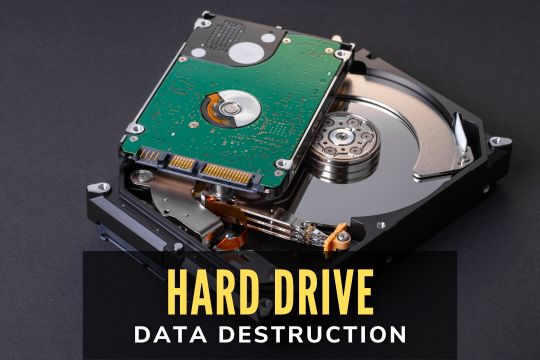
The appropriate method depends on the storage technology. Hard disk drives (HDDs) use magnetic storage, while solid-state drives (SSDs) use flash memory. Degaussing can sanitize certain magnetic media when the equipment is suitable, but it does not work on SSDs and is classified as a Purge technique under NIST guidance, not physical destruction.
Before releasing equipment, plan data destruction to prevent security risks by reviewing retention policies, approving the required methods, and scheduling services with your provider. These decisions also affect asset recovery: successfully sanitized drives can remain available for reuse, while physically destroyed media cannot be resold as functioning storage devices.
Confirm that your provider can carry out the approved procedures, verify the results, and provide the required documentation. Check applicable legal and regulatory requirements separately, since following NIST guidance alone does not establish compliance.
Step 5: Establish a Secure Chain of Custody
Maintaining a documented chain of custody for retired servers allows your organization to track equipment from its initial release through final processing. Records should show who handled each asset, when custody changed, and where it was transferred. Before removal begins, specify who is authorized to handle the equipment and how each transfer will be documented.
Track the following custody checkpoints:
- Internal release: Match equipment against the approved inventory and record who authorized its transfer.
- Provider pickup: Record the assets collected, pickup date, and personnel accepting custody.
- Transportation: Use controlled handling procedures and secure packaging or sealed containers where required.
- Facility receipt: Compare received equipment with pickup records and investigate any discrepancies.
- Processing: Link each asset to its sanitization, destruction, or final disposition records.
Restricted access, controlled storage areas, and tamper-evident containers can help protect equipment during handling and transfer. Custody records show how equipment was handled and transferred, while certificates of destruction document specific destruction activities. Both serve different purposes and should be reviewed separately.
Before releasing equipment, ask providers how they track custody transfers, reconcile assets received at processing facilities, and investigate missing or mismatched items.
Step 6: Plan Equipment Removal and Transportation
With retirement approvals and security procedures in place, your team can prepare equipment for removal. Servers, racks, and storage systems require planning around facility access, physical handling, and transportation schedules.
Work with your IT and facilities teams to cover the following:
- Technical readiness: Verify that qualified personnel have completed authorized shutdown and disconnection activities.
- Facility access: Check server room restrictions, loading areas, elevators, and equipment movement routes.
- Equipment handling: Assess which racks or devices need specialized lifting, packing, or transportation.
- Security: Specify packaging and custody requirements for equipment containing sensitive data.
- Scheduling: Arrange pickup times around maintenance windows, operating schedules, and facility access restrictions.
Assign responsibilities for each stage of removal, keeping technical shutdown and electrical disconnection separate from equipment handling and asset disposition. Confirm that any external provider assigned specialized work has the qualifications and capabilities to perform it.
When requesting a quote for secure data center equipment removal services, provide the equipment types, quantities, facility access restrictions, and security requirements. Clarify who will handle de-racking, packing, loading, transportation, and receipt at the processing facility so each activity has an assigned party before pickup.
Step 7: Evaluate Reuse, Resale, and Recycling Opportunities
Plan the disposition of retired equipment before removal, then confirm the appropriate route once its condition and security requirements have been assessed. The data center IT asset disposition process (ITAD) covers how organizations manage retired technology through reuse, resale, value recovery, or recycling.
The available options include:
Reuse and Refurbishment
Servers and related components that remain functional can be redeployed within your organization or refurbished for continued use. Before returning data-bearing equipment to service, verify that the storage media have undergone appropriate sanitization and that the results have been validated.
Resale and Asset Recovery
Retired servers, networking equipment, and other reusable components can also be sold or remarketed once data security requirements are satisfied. Their resale value depends on age, configuration, condition, market demand, and processing costs, so equipment should be evaluated individually.
If resale is financially viable, the proceeds can offset some decommissioning expenses.
Responsible Electronics Recycling
Nonfunctional, obsolete, or unsuitable equipment can be sent to qualified electronics recyclers for processing and material recovery. For secure disposal of decommissioned data center equipment, ask providers where the materials will be processed, how downstream recycling partners are managed, and what documentation is available.
An ITAD provider that handles reuse, resale, and recycling can help your organization manage these different disposition routes through a single service arrangement.
Step 8: Document Destruction and Final Disposition
A decommissioning project should close with a complete record of every asset released from the facility. Compare the original inventory with pickup records, receiving documentation, and final processing reports to verify that all equipment has been accounted for and resolve any discrepancies before closing the project.
Your final documentation package should include applicable records such as:
- Reconciled asset inventories and equipment transfer records
- Chain-of-custody and transportation documentation
- Certificates of destruction for applicable storage media
- Destruction dates, methods, and asset identifiers, where available
- Recycling and downstream disposition records
- Resale, remarketing, or asset recovery results
- Records of discrepancies and their resolution
A certificate of destruction documents specific destruction activities, so review which devices it covers and what processing details are recorded. For instance, a certificate confirming drive destruction does not verify what happened to the server chassis, racks, or network equipment collected during the same project.
Compare the supporting records to confirm the final disposition of each asset, then retain the documentation according to organizational policies, contractual obligations, and applicable regulations. These records can also inform future decommissioning projects and internal audits.
What Does a Data Center Decommissioning Company Do?
A data center decommissioning company helps organizations retire IT infrastructure through equipment removal, secure data destruction, IT asset disposition, recycling, and documentation services. The scope varies by provider, with some managing extensive shutdown and removal projects and others specializing in individual services.
West Coast Computer Recycler provides IT asset disposition (ITAD), secure equipment pickup and transportation, physical hard drive destruction, and electronics recycling. Its ITAD program also includes equipment testing, potential value recovery, and certificates of destruction. These services are available to businesses and organizations throughout Southern California, including Los Angeles, Orange, Riverside, San Bernardino, San Diego, and Ventura counties.
When comparing providers, ask:
- Service scope: Can the company handle the equipment types, quantities, and facility access requirements?
- Data security: Which destruction methods are offered, and how are results documented?
- Asset accountability: How are pickup, custody transfers, and processing records maintained?
- Disposition options: What reuse, recovery, and recycling services are available?
Also check the provider's certifications, downstream recycling practices, and reporting capabilities. Before scheduling, clarify which tasks your IT, security, and facilities teams will handle and which will be assigned to the provider.
Plan a Secure Data Center Decommissioning
Before retiring data center equipment, your organization needs a clear plan to manage operational dependencies, protect stored information, and document where each asset ultimately goes. Early preparation also gives your IT, security, and facilities teams time to resolve outstanding requirements before equipment removal begins. An experienced ITAD and recycling provider can simplify retired equipment handling, from secure data destruction to potential asset recovery and recycling.
For businesses planning a server refresh, infrastructure consolidation, or data center closure in Southern California, West Coast Computer Recycler offers ITAD, physical hard drive destruction, equipment pickup, and electronics recycling services. Learn more about its ITAD, data destruction, and electronics recycling services to discuss your upcoming decommissioning project.