%20(9).png&description=Share)


.png)
%20(9).png)

Artificial intelligence is changing the computing demands placed on data centers. As organizations invest in newer GPUs, servers, and supporting infrastructure, they must also plan for the equipment being replaced. Retired servers can still contain sensitive information, reusable components, and materials that require proper recycling.
Without a clear retirement plan, organizations risk losing track of equipment, exposing stored data, or discarding assets that still have value. For IT managers planning how to recycle servers after a data center upgrade, the process involves documenting retired assets, protecting stored information, evaluating reuse opportunities, and ensuring responsible recycling.
Understanding these steps helps organizations complete infrastructure upgrades while protecting data, recovering equipment value, and managing electronic waste responsibly.
Why AI Is Changing Data Center Hardware Refreshes
.png)
AI workloads can place greater demands on computing performance, memory capacity, network bandwidth, and power efficiency. To meet these requirements, some organizations are investing in newer GPU systems, high-performance servers, storage equipment, and networking infrastructure.
Advances in AI accelerators are also influencing how frequently organizations upgrade or replace their computing equipment, known as hardware refresh cycles. A June 2026 Microsoft Research study on AI data center lifecycles highlights the need to account for changing AI workloads, advances in hardware technology, and operating costs when making infrastructure upgrade decisions.
Existing equipment can still handle other workloads, be redeployed elsewhere, or operate alongside newer systems, so a complete hardware replacement isn't always necessary. For organizations undertaking GPU server upgrades, these decisions can leave IT teams managing racks of equipment with different configurations, security requirements, and potential resale value. As hardware upgrades become more frequent, IT teams need consistent procedures for tracking, removing, and disposing of retired equipment to prevent lost assets and gaps in accountability.
What Happens to Servers After a Data Center Upgrade?
After a data center upgrade, IT teams inventory retired servers, arrange secure removal, and identify components containing stored data. Storage devices then undergo the required sanitization or destruction procedures, while equipment suitable for reuse is assessed for redeployment or resale. Hardware without practical reuse value goes through responsible electronics recycling, with each stage documented for accountability.
For organizations recycling servers after an IT infrastructure upgrade, the process generally involves these steps:
- Inventory retired equipment. Record servers, storage systems, networking devices, and other assets, including asset tags and serial numbers.
- Prepare equipment for removal. Coordinate shutdown procedures, confirm data migration is complete, and arrange secure removal and transportation.
- Protect stored information. Identify hard disk drives (HDDs), solid-state drives (SSDs), and other data-bearing components, then determine the required sanitization or destruction methods.
- Evaluate asset value. Assess equipment for internal reuse, refurbishment, resale, or component recovery.
- Recycle non-reusable hardware. Send equipment without viable reuse options to responsible electronics recycling facilities.
- Maintain disposition records. Retain asset inventories, chain-of-custody records, destruction certificates, and recycling documentation.
IT asset disposition (ITAD) brings these steps together, covering the secure retirement of equipment, data protection, asset recovery, and recycling. The steps can vary depending on the organization's security policies and the provider's procedures, but equipment containing sensitive data must be properly sanitized and verified before being released for reuse or resale.
Planning Secure Data Center Equipment Removal
Equipment retirement should begin before the first server leaves its rack. Effective data center equipment removal and recycling depends on knowing which assets are being retired, where they will go, and who is responsible for handling them.
Inventory Equipment Before Removal
IT teams should prepare an inventory covering all equipment included in the refresh project. This can include rack-mounted servers, GPU systems, storage arrays, network switches, and associated peripherals. For each asset, record identifying details such as its equipment type, asset ID, serial number, and planned disposition.
The inventory should also distinguish between equipment intended for internal redeployment, resale evaluation, or recycling. Identify data-bearing components, including removable drives that require separate tracking or handling.
Before removing equipment, IT teams should confirm that data migrations or required backups are complete, obtain decommissioning approvals, and coordinate shutdowns to prevent disruptions to active systems.
Maintain Chain of Custody During Transport
Chain of custody documents who is responsible for equipment at each stage, from collection and transportation to processing and final disposition.
For secure disposal of old data center equipment, organizations should document pickups and custody transfers, then check received equipment against the original inventory. For example, if a data center sends 60 retired servers to an ITAD provider but only 59 are accounted for upon arrival, the missing server must be located or the discrepancy resolved before the disposition records can be finalized.
Secure transportation protects equipment in transit, but separate verification is necessary to confirm that stored data has been properly destroyed or sanitized.
Protecting Data on Retired Servers
.png)
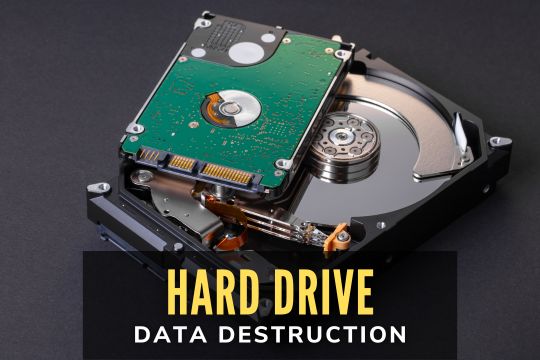
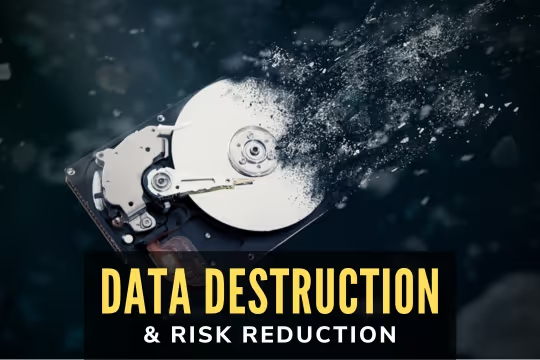
Disconnecting, powering down, or removing a server from production does not erase sensitive information stored on its drives, including customer records, internal files, and credentials. That makes data destruction for retired data center servers a critical part of infrastructure retirement.
Identify Data-Bearing Equipment
Hard disk drives (HDDs), solid-state drives (SSDs), removable storage devices, and storage arrays can retain sensitive information. IT teams should also check networking and management appliances for stored configurations, credentials, logs, and other sensitive data.
Migrating workloads, deleting files, or formatting drives doesn't guarantee that stored data has been securely erased. The effectiveness of these methods depends on the storage technology and procedures used. Organizations planning how to dispose of old server hardware should identify these risks before equipment leaves their control. The National Institute of Standards and Technology's SP 800-88 Revision 2 provides guidance on establishing media sanitization procedures based on information sensitivity and security requirements.
Choose Between Sanitization and Physical Destruction
Secure recycling of retired data center servers requires choosing data protection methods based on the storage technology, security requirements, and whether the equipment will be reused, resold, or recycled.
The two main approaches are:
- Data sanitization: Methods such as device-supported sanitization commands or cryptographic erase securely remove access to stored data without destroying the device. Once the process is verified, eligible equipment can be reused or resold.
- Physical destruction: Storage media is physically destroyed, such as through shredding, when secure sanitization isn't feasible or organizational security requirements call for destruction. This permanently prevents the affected devices from being reused.
Media compatibility also matters, as degaussing works on compatible magnetic storage media but not SSDs or other flash-based storage. The appropriate method should follow organizational policy, the characteristics of the media, and applicable security requirements. IT teams should also obtain records showing which devices were sanitized or destroyed and how the results were verified. Destruction certificates should identify the media processed and the methods used, while sanitization records should document the procedures and verification results.
Can Retired Data Center Equipment Be Reused or Resold?
A server that no longer meets an organization's AI computing requirements can still be useful for other workloads, allowing businesses to focus on recovering value from retired data center equipment before sending it for material recycling.
Through data center IT asset disposition services, organizations can evaluate equipment for several possible outcomes:
- Internal redeployment: Move suitable servers or components to other compatible workloads within the organization.
- Refurbishment and resale: Test, repair, or reconfigure equipment for resale.
- Component recovery: Recover functioning processors, memory modules, GPU cards, and other parts for reuse.
- Material recycling: Recycle equipment that is damaged, obsolete, or no longer practical to reuse.
A system’s resale value depends on its age, performance, condition, configuration, compatibility, market demand, and refurbishment costs. Functioning components, such as GPUs and networking devices, can retain resale value even when the complete server is no longer suitable for resale. A damaged storage drive containing sensitive data might need to be destroyed, even if it still has resale value.
Any data-bearing equipment intended for reuse must first undergo appropriate, verified sanitization. West Coast Computer Recycler's ITAD program includes equipment evaluation, testing, and potential buyback to help organizations identify reusable or marketable assets.
Responsible Recycling for Equipment Without Resale Value
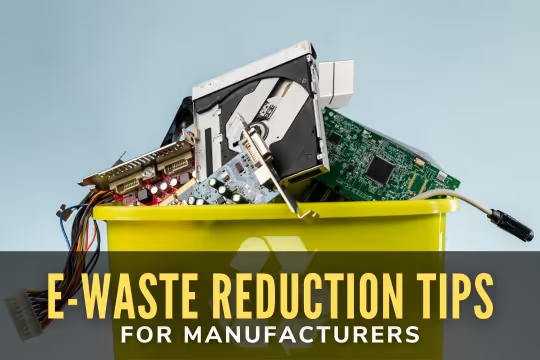
Retired data center equipment that is damaged, obsolete, or no longer economical to refurbish or recover for parts can be directed to responsible electronics recycling. Non-reusable servers and related hardware can be sorted, dismantled, and processed to recover materials such as steel, aluminum, copper, certain plastics, and precious metals.
Different components require specific handling and processing methods, including circuit boards, metal housings, batteries, and storage devices. Responsible recycling also requires tracking where equipment and recovered materials go after collection and how they are processed.
Google Data Centers' circularity program shows how retired equipment can be evaluated for reuse, parts recovery, or resale, with hardware that has no viable reuse options sent for material recycling. For IT teams, documenting recycling outcomes also helps provide evidence for internal environmental reporting and equipment lifecycle management. The U.S. Environmental Protection Agency recommends using certified electronics recyclers and recognizes R2 and e-Stewards as standards covering environmental protection, data security, and downstream recycling practices.
Choosing a Data Center Recycling and ITAD Provider
.png)
The right provider should be able to handle the equipment being retired while meeting the organization's security, transportation, documentation, and asset recovery needs.
When comparing data center server recycling services, IT managers should review the following:
- Equipment acceptance: Confirm that the provider can handle the types and volume of servers, GPU systems, storage devices, networking equipment, and related electronics being retired.
- Collection and transportation: Ask about secure pickup, transportation, and equipment removal assistance. Confirm specialized services, such as rack dismantling or infrastructure shutdown support, separately.
- Asset tracking: Check how the provider tracks equipment, documents custody transfers, and resolves inventory discrepancies.
- Data protection: Verify the provider's sanitization and physical destruction methods, supported media types, and verification procedures.
- Asset recovery: Ask whether the provider tests equipment for reuse, refurbishment, resale, or potential buyback.
- Disposition documentation: Confirm that the provider supplies certificates of destruction, asset disposition reports, recycling records, and any other required documentation.
- Environmental practices: Check the provider's recycling certifications, including their validity and scope, and ask how downstream recycling is managed.
Plan for Retired Equipment Before the Upgrade Is Complete
AI-related infrastructure upgrades bring new computing capabilities, but they also require a clear plan for retiring the equipment being replaced. An effective retirement plan protects sensitive information, identifies reusable assets, and directs remaining hardware toward responsible recycling. Starting with an accurate inventory also makes it easier to coordinate equipment removal and maintain reliable records.
West Coast Computer Recycler provides ITAD, data destruction, and electronics recycling services for organizations throughout Southern California. Businesses planning a data center refresh can request ITAD services to discuss equipment evaluation, secure transportation, and recycling options.